If you have any issues following the guides below please reach out to us at [email protected] with the email you would like subscribed and the list you would like to subscribe too.
To join a group via the Google Groups UI you should:
https://groups.google.com/u/1/a/osg-htc.org/g/[Group Name]
https://groups.google.com/u/1/a/osg-htc.org/g/osg-group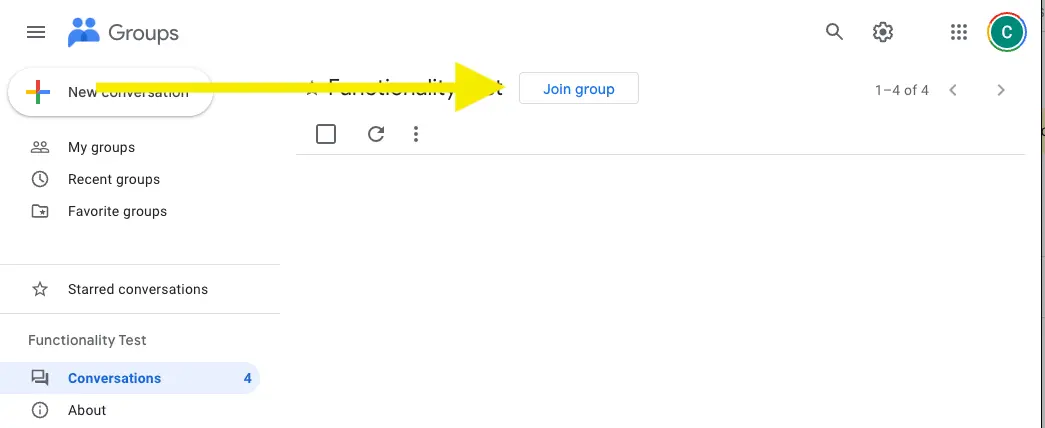
To join a Google Group via email, send an email to [Group Name][email protected].
For example, to join the group called [email protected], send an email to [email protected].
If this feature is available, you will receive an email with the following information:
We received your request to join [Group Name].

In order for us to complete the request, please reply to this email or click
[the button] below.

[Join This Group]
Always reply to the email to join. Clicking the button is inconsistent and will sometimes give an error of "you do not have permissions to access this group".
You should send the subscribing message from the email address you want to receive messages. The above instructions need only be used for those without direct access to Google Groups at https://groups.google.com/a/wisc.edu/forum/#!myforums.
For some groups, you may need to confirm the subscription request, as delineated above, while other with more restricted membership will require the group owner to approve your subscription request before you can join.
To leave a Google Group via email, send a blank email to [Group Name][email protected].
In the standard convention, it should look like [email protected].
If it is successful, you should receive an email with the following Subject Line and Content:
Your unsubscription to [Group Name] was successful.